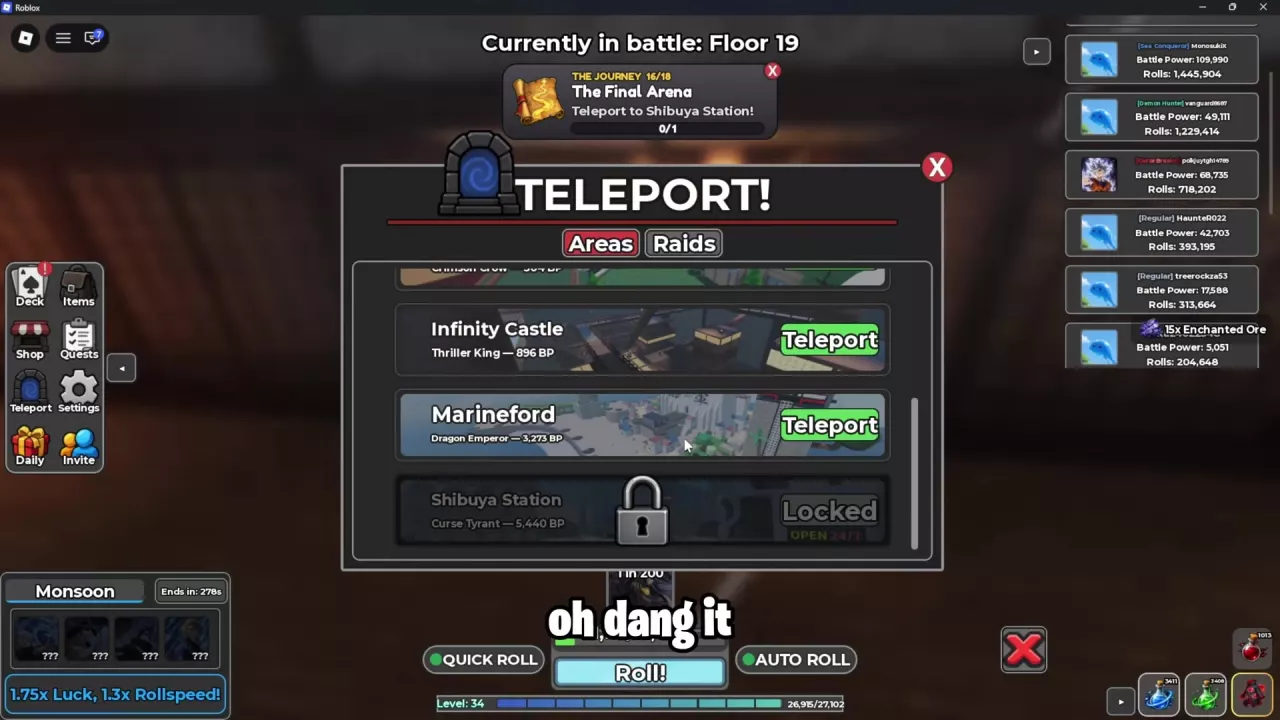
Open Teleport and Choose Areas
- Click the blue portal icon on the left to open TELEPORT!
- Select Areas if the menu has tabs.
- Scroll through the list to find your destination. Infinity Castle, Marineford, and Shibuya Station appear farther down the list.
- Click the destination's green Teleport button to travel there.
Once you arrive, use the NPC locations guide to find functional NPCs and landmarks within the area.
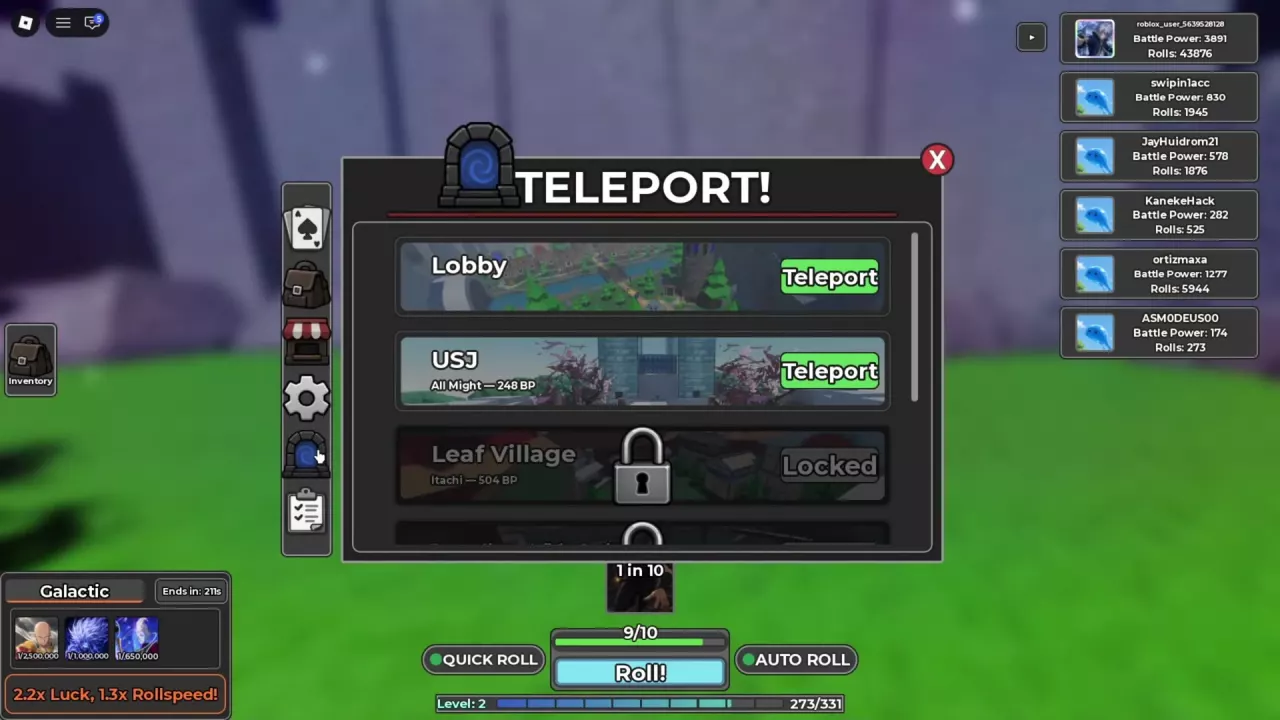
Destinations and Listed Opponents
Use the directory to look up each destination's opponent labels, listed BP, and Journey connections. Lobby is the main hub. USJ and Shiganshina are separate destination entries.
Match the area name when opponent labels differ between menus. For example, Infinity Castle can appear as Demon Slayer - Infinity Castle with Muzan, while the menu and Journey route using Thriller King also lead to Infinity Castle. Matching BP values alone does not establish that two named opponents are the same character.
For challenge mechanics and rewards after arriving, see the boss guide.
Read Locked Areas and Quest Destinations
What the BP number means
The character name and BP beneath a destination identify its listed opponent and battle power. For example, Curse Tyrant — 5,440 BP under Shibuya Station is an opponent label; it does not establish a 5,440 BP requirement for teleporting there. Use the Teleport or Locked status to tell whether the destination is currently available.
When a Journey destination is locked
The Final Arena can ask you to teleport to Shibuya Station while its entry still shows a lock and Locked. Receiving the quest does not itself unlock the area, and its travel objective can remain at 0/1 while access is locked.
When the destination has a green Teleport button, use it to reach the requested area. A Journey objective can then change from traveling to defeating a local opponent. See Journey objectives and reward claims for the requirements of your current stage.