Unlock Cursed Pack or Otherworld Pack
- Find Hashirama on the bench on the right side of town, beside the wall and pine trees along the main road. Look for his long black hair and red armor.
- Press E to talk, then choose Learn to open the Skill Tree.
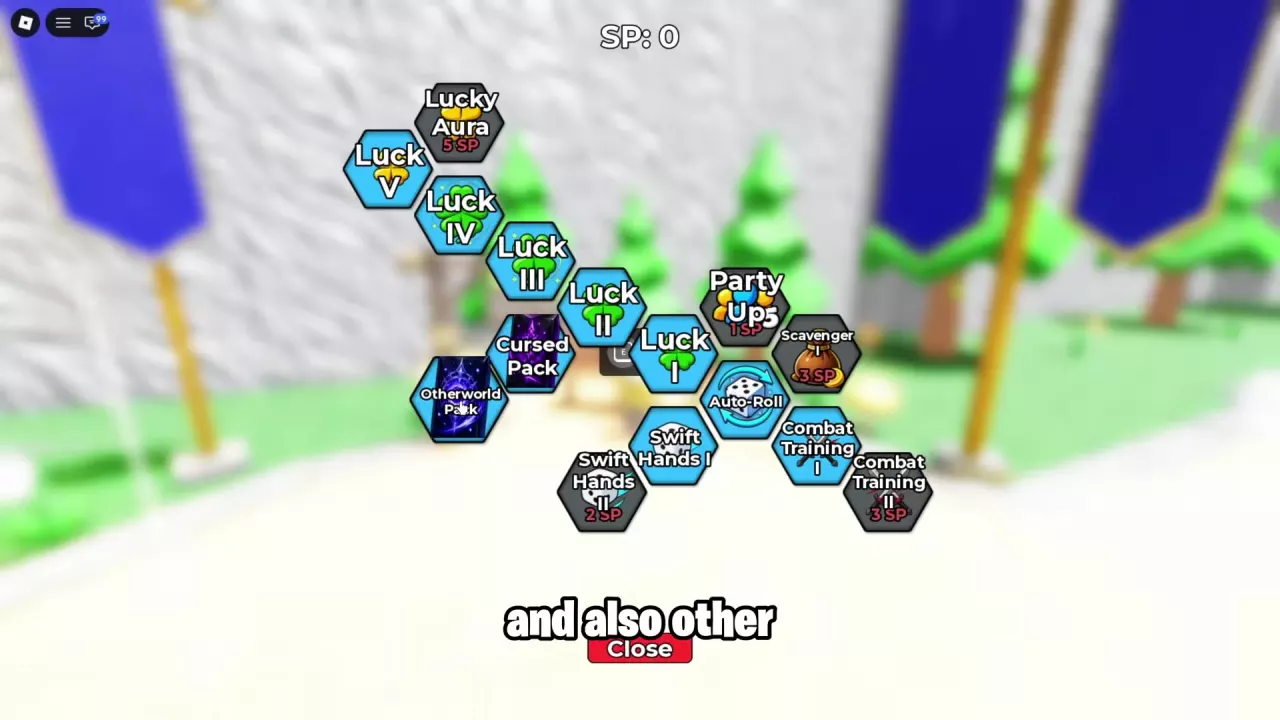
- Unlock the Cursed Pack or Otherworld Pack node, depending on which pack you want to use.
For other upgrades and SP choices, see the Skill Tree guide.
Select the Pack in Settings
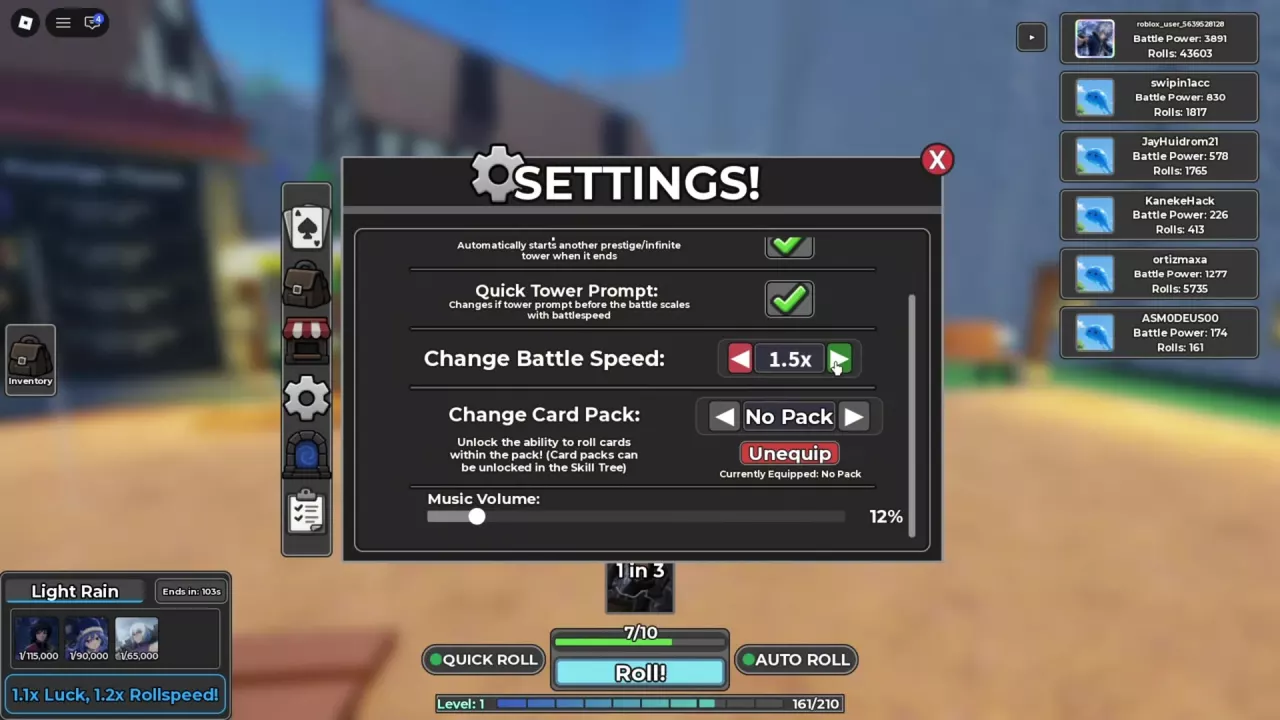
- Open Settings using the gear icon in the Inventory sidebar.
- Find Change Card Pack.
- Use the left and right arrows to select the pack you unlocked.
- Check Currently Equipped beneath the controls to see which pack is active.
While equipped, the pack makes its cards available to roll. To start drawing cards or enable automatic draws, follow the rolling and Auto-Roll guide. Use the card directory to look up card abilities and variants.
Unequip a Pack and Understand No Pack
Under Settings → Change Card Pack, select Unequip to remove your current battle card pack. No Pack means you have no battle card pack equipped.
Cosmetic packs use a separate menu. If you want to open an owned Halloween Skin Pack, go to Items → Misc and follow the Halloween Skin Pack opening guide.