
Enter Prestige Tower and Start Battle
Prepare your battle party before entering. Use the team-building guide if you need to equip cards or arrange their order.
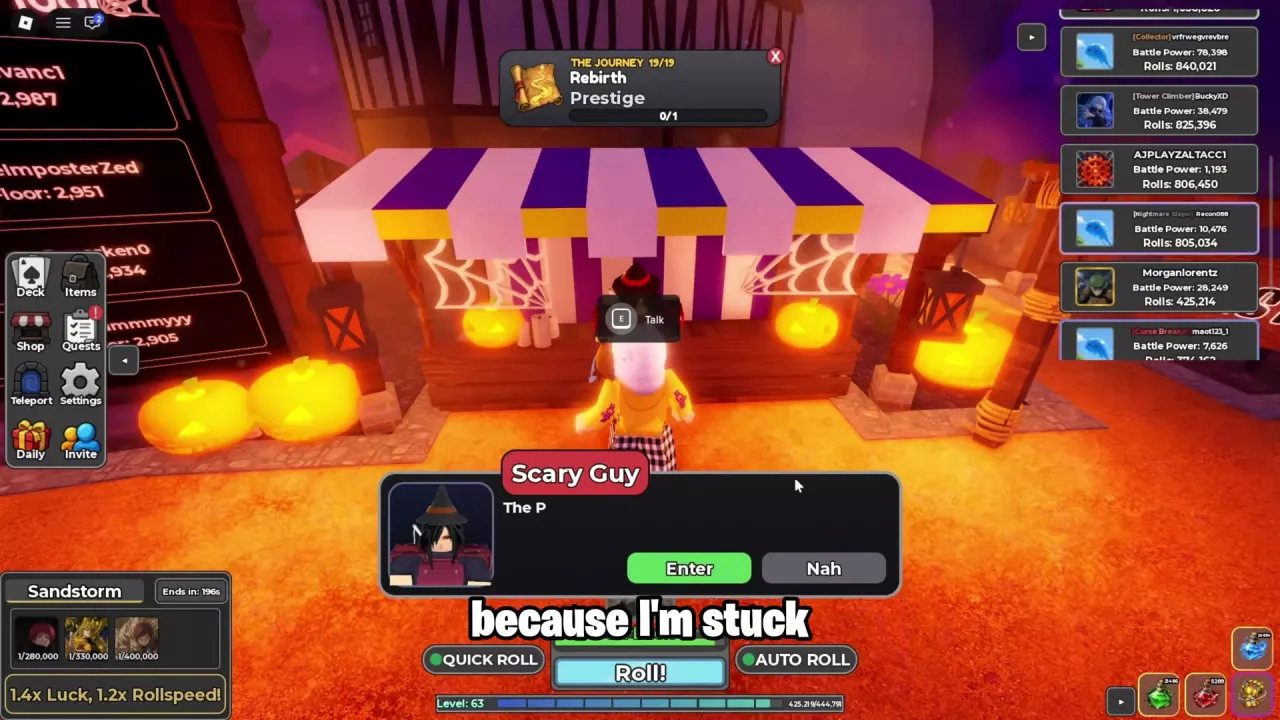
- Find the Prestige Tower entrance. Madara stands near the Prestige Tower portal. In the Halloween-decorated setting, open Teleport → Areas → Lobby, then find Scary Guy at the purple-and-white striped stall decorated with pumpkins and cobwebs.
- Approach the entrance NPC and press E to talk.
- Choose Enter to open the Prestige Tower menu. Nah dismisses the offer.
- Select Battle! to start climbing and stockpiling luck.
Read Floor, Checkpoint, Best and Stockpiled Luck
Use the progress fields to read your climb, and the multiplier fields to understand what you have accumulated versus what you have already earned.
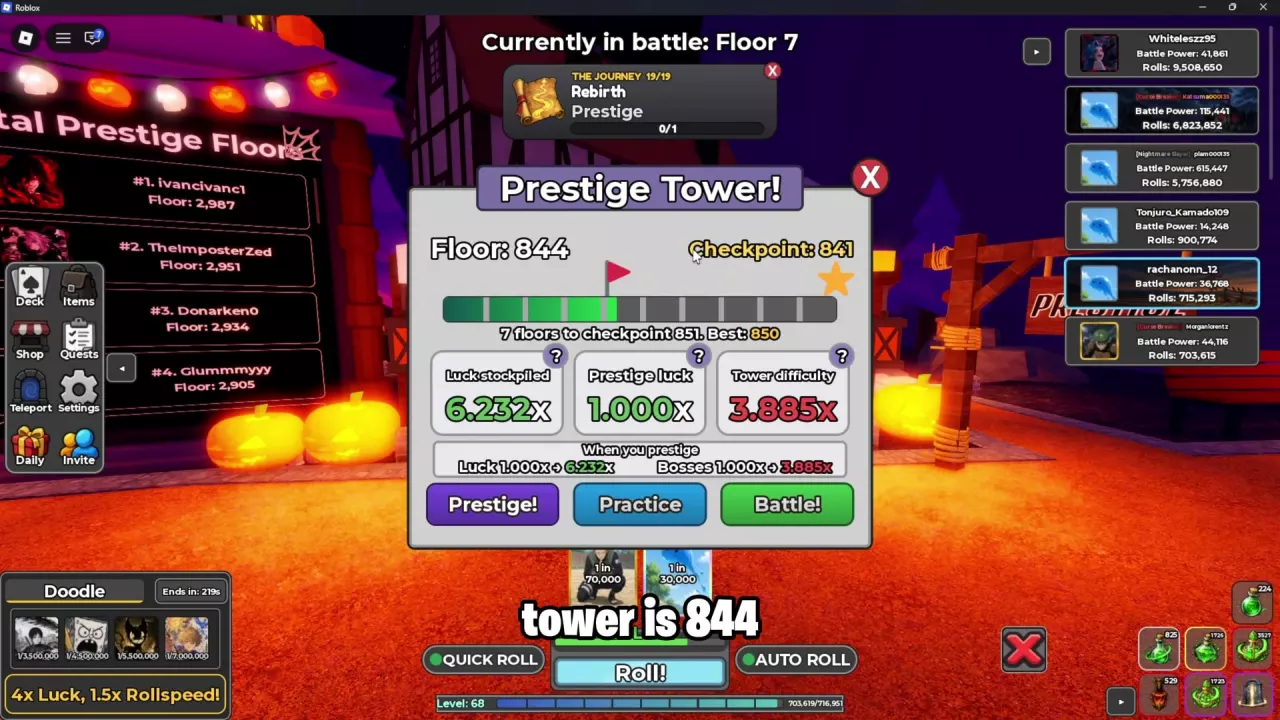
The following example is a Floor 844 setup before its first Prestige:
| Field | Example value | Meaning |
|---|---|---|
| Floor | 844 | Your current Prestige Tower floor. |
| Checkpoint | 841 | The checkpoint listed for your current tower progress. |
| Next checkpoint | 851 | The next target displayed by the progress bar. |
| Best | 850 | Your best recorded floor. |
| Luck stockpiled | 6.232x | Luck accumulated through the tower and used in the Prestige preview. |
| Prestige luck | 1.000x | The permanent Prestige Luck you already have. |
| Tower difficulty | 3.885x | The tower's difficulty multiplier, separate from your luck. |
For this progress state, 851 − 844 = 7 floors remain to the displayed next checkpoint. Use the next checkpoint shown in your own menu when calculating the distance.
The When you prestige preview shows the proposed changes. In this first-Prestige example, Luck changes from 1.000x to 6.232x, while Bosses changes from 1.000x to 3.885x. The 6.232x stockpile is therefore distinct from the 1.000x permanent Prestige Luck already active.
After that Prestige, permanent Prestige Luck becomes 6.232x and stockpiled luck returns to 1.000x.
Control the Climb and Keep Tower Progress
Floors advance continuously during an active run. Use the battle controls when you want to interrupt the climb:
- PAUSE: pauses the climb after the current floor in the turn-based battle view.
- END: ends the run after the current floor in that view.
- GIVE UP: provides a separate option in the floor matchup view.
When PAUSE or END is labeled After this floor, wait for that floor to finish before expecting the action to take effect.
To repeat runs automatically, open Settings using the gear icon and enable Auto Repeat Tower. This setting starts another run after a Prestige Tower or Infinite Tower run ends; floors within the active run already advance continuously.
In Settings → Gameplay, use the arrows beside Change Battle Speed to adjust combat speed. Enable Quick Tower Prompt to make the pre-battle tower prompt scale with that speed.
Prestige preserves Prestige Tower progress. In the Floor 844 first-Prestige example, Floor 844, Checkpoint 841, and Best 850 remain unchanged after the reset.
If your climb stalls, use the tower ability recommendations to identify useful skills for your next party.
Infinite Tower or Prestige Tower?
| Your goal | Choose | Why |
|---|---|---|
| Farm tower materials | Infinite Tower | It provides continuous floor challenges and a material-farming route. |
| Build toward permanent luck | Prestige Tower | Climbing stockpiles luck, and the Prestige preview shows the resulting Luck and Bosses multipliers. |
Choose Infinite Tower when crafting materials are your immediate priority. It is also excluded from the permanent enemy-strengthening penalty caused by Prestige. Use the Infinite Tower guide for its entrance, run controls, results, and drop bonuses.
Choose Prestige Tower when you want to accumulate luck for a future reset. Before committing, compare the Luck and Bosses preview: Prestige grants permanent luck, strengthens enemies outside the Infinite Tower exception, and resets cards and items, including items purchased with Robux. Follow the Prestige reset and timing guide to weigh that tradeoff and complete the confirmation process.