
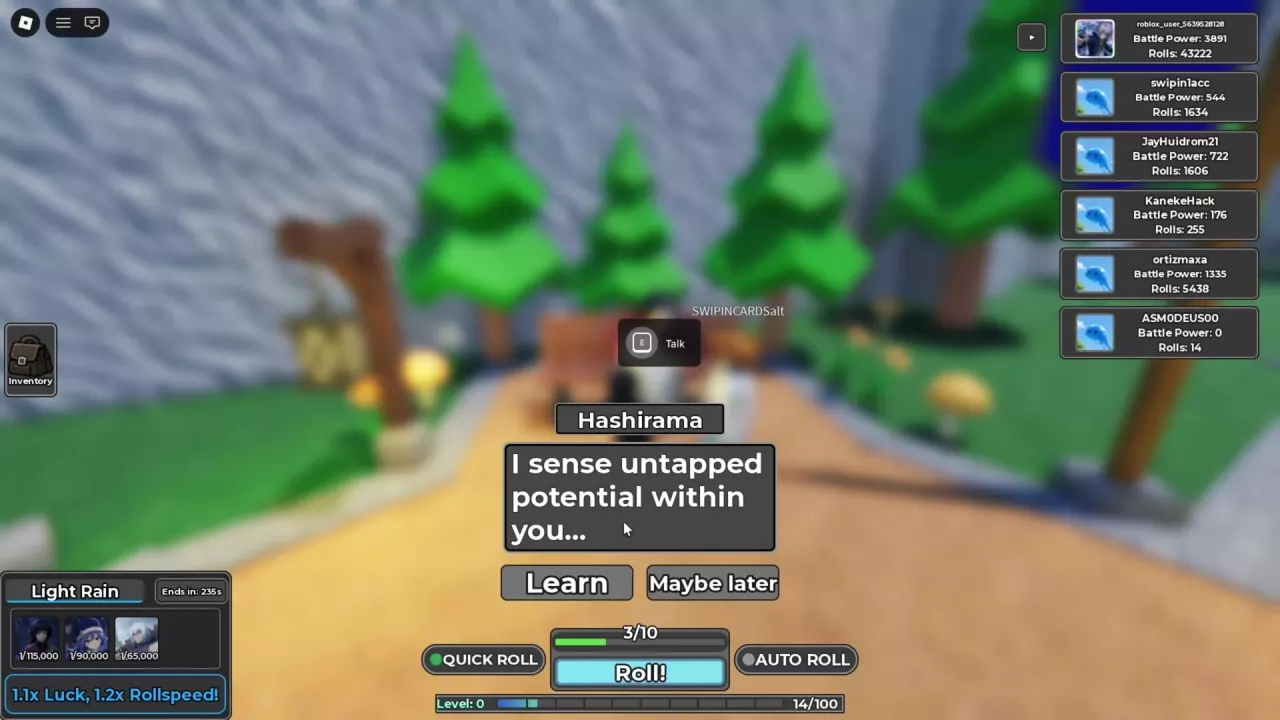
Find Hashirama and Open Learn
- Follow the main road to the bench on the right side of town, beside the wall and pine trees.
- Find Hashirama, recognizable by his long black hair and red armor.
- Press E at the Talk prompt, then choose Learn to open the Skill Tree.
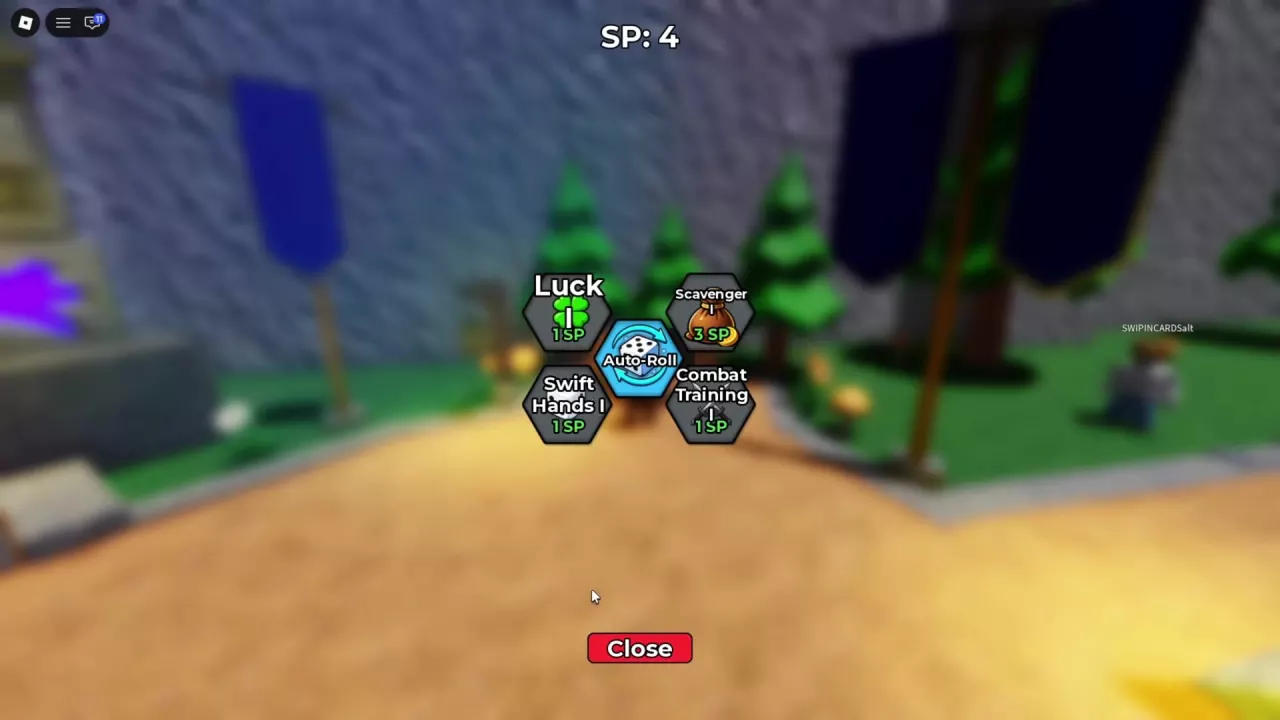
- Check your available SP at the top of the screen.
- Hover over the node you want to read its cost and effect, then purchase it when you have enough SP.
Select Close at the bottom to leave the Skill Tree.
Skill Costs and Effects
Costs and bonuses apply to the specific tier named beside each value. Luck has tiers I–V; Swift Hands and Combat Training also have separate tier-II nodes.
Spend SP for Your Current Goal
- Automatic draws: buy Auto-Roll first. Its 1-SP unlock removes the need to start each roll manually. After purchasing it, enable AUTO ROLL beside Roll!; the rolling guide covers the controls and keeping it running while you play.
- Faster rolling: choose Swift Hands I. Spend 1 SP for +15% roll speed when you want to speed up the drawing process.
- Flat luck: choose Luck I. Spend 1 SP for +1 flat luck when luck is your priority. See other ways to increase luck for upgrades outside the skill tree.
- Less time in battles: choose Combat Training I. Its +15% battle speed costs 1 SP, making it a useful choice when combat is slowing your progress. The battle-speed guide covers the setting and other speed bonuses.
- Tower materials: save 3 SP for Scavenger I. Its +15% tower drop rate directly supports a drop-focused goal. If that is your next purchase, keep those points together rather than spending them on unrelated upgrades. Use the Infinite Tower guide to plan your runs.
Unlock Cursed Pack or Otherworld Pack when you want access to that pack's cards. After unlocking a pack node, equip the pack through Settings → Change Card Pack to roll its cards. Follow the card-pack guide for switching or removing an equipped pack.
Keep Your Skills and SP Through Prestige
Prestige preserves your Skill Tree and SP. You keep purchased skills and any unspent points, so those upgrades remain useful when you rebuild your collection.
Prestige resets all cards and items, including items bought with Robux. Keeping your skills does not protect those possessions. Review the Prestige resets and timing guide before deciding whether to reset.