
🔥UPDATE 2.5🔥
Update 2.5 introduces new weather, a card pack, and a ranked system, alongside quality-of-life improvements and balance changes.
The player's field guide
Last updated:
Roll for character cards, build a battle party with support cards, and challenge bosses and towers. Improve your rolling setup, craft charms, and weigh permanent Prestige luck against rebuilding your collection.
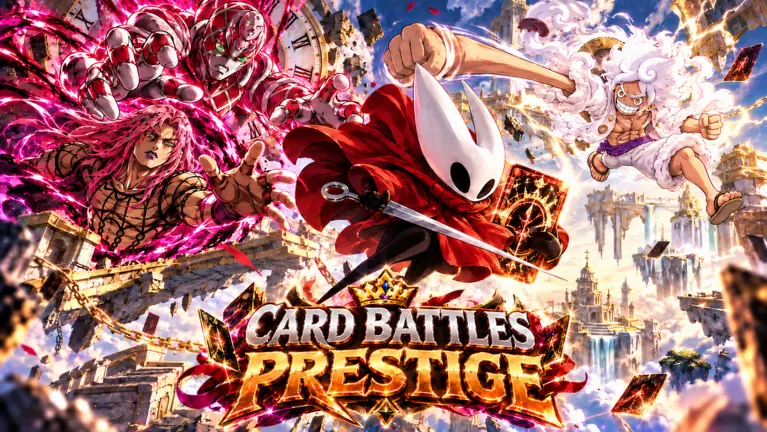
Choose abilities for the encounter, then compare the stats on the versions you own. Opening attacks help apply immediate pressure, while effects that reach the next enemy or the whole team help against multi-card queues. Use the tower ability rankings when choosing for those fights.
The Index separates Normal, Gold, Prismatic, Cosmic, and Galactic cards. Shiny can coexist with another version label, such as Shiny Gold.
Open Index to filter by version or pack, search for cards, and inspect Health, Attack, and Ability. Use Claim! for available collection rewards, which include Eternal Luck Potion I.
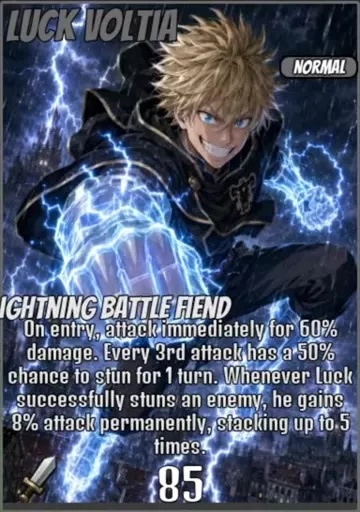
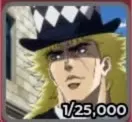
Luck Voltia — Normal
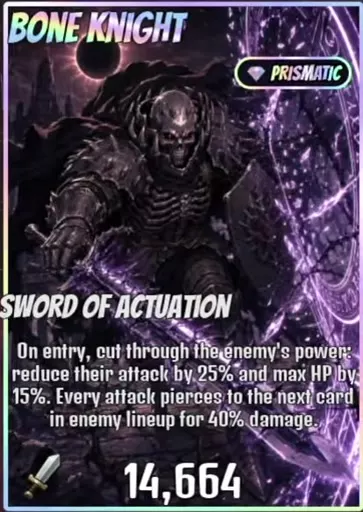
Bone Knight — Prismatic
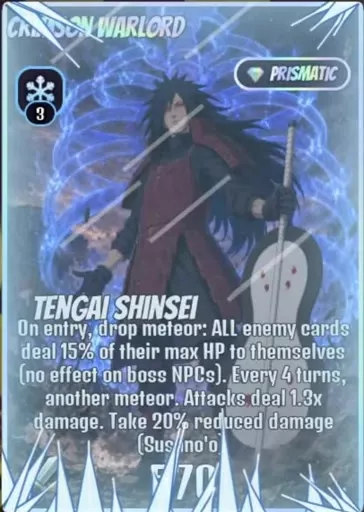
Crimson Warlord — Prismatic
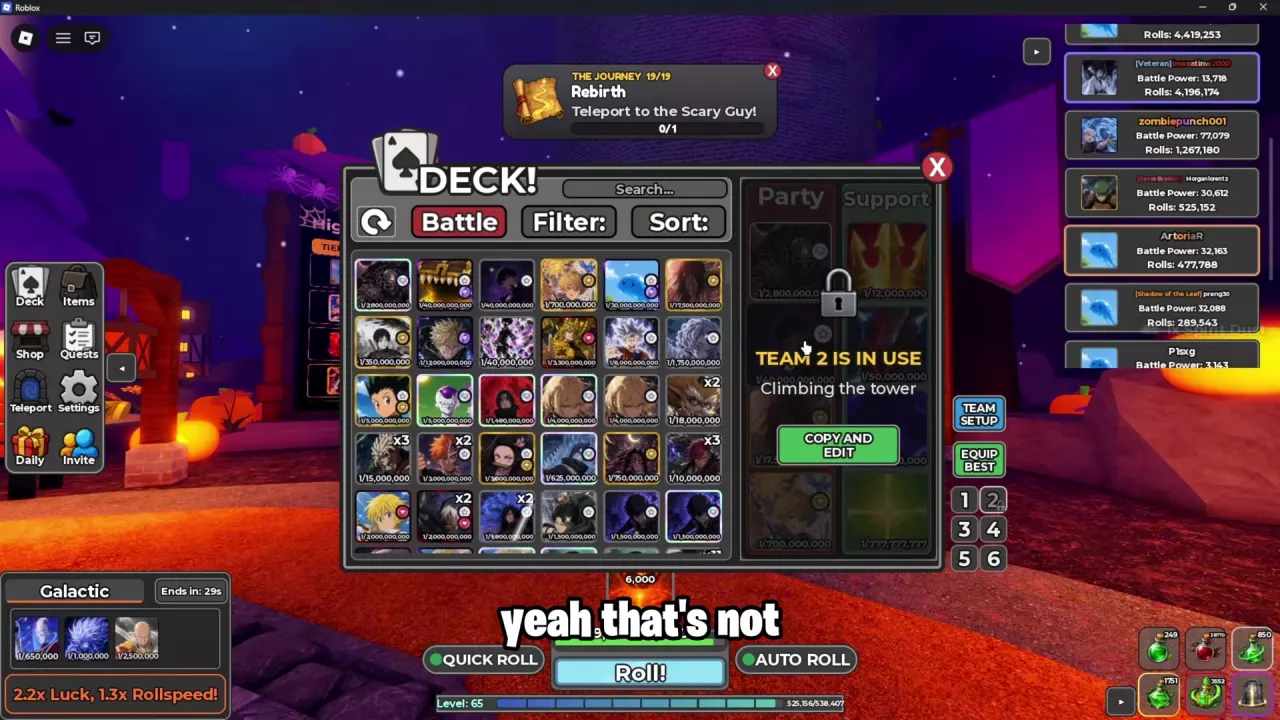
Battles advance automatically through turns. When the active card dies, the next teammate enters. Entry effects, living auras, kill bonuses, and death effects make card order matter. Check Profile → Battle Power alongside individual stats and abilities when reviewing a team.
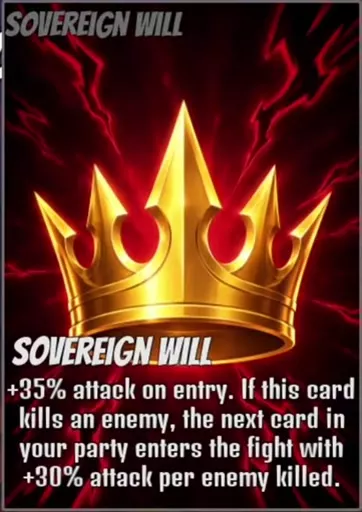
Match the support trigger to what its battle card can accomplish: Rusted Chain suits survival and death-trigger utility, while Sovereign Will suits a card that can secure kills before the next teammate enters.
Adjust combat pace under Settings → Gameplay → Change Battle Speed. The battle-speed guide covers settings and upgrades.
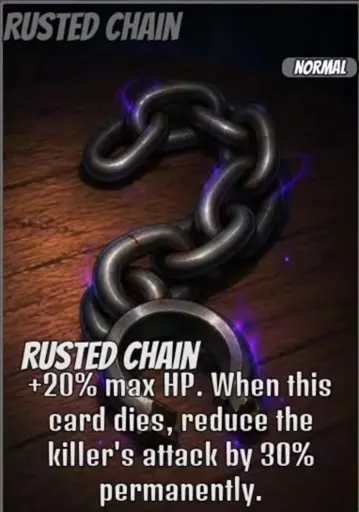
Rusted Chain — Normal
Talk to Hashirama and choose Learn to inspect the Skill Tree.
Skill upgrades and new boss/difficulty first clears add flat luck. Charms apply their bonuses while equipped; weather and potions apply during their active timers. Prestige grants permanent luck through a reset.
Open Profile → Current Luck to check your active setup. Flat values, percentages, and multipliers are different bonus labels; the luck guide explains their sources and conditions.
Unlock Cursed Pack or Otherworld Pack in the Skill Tree, then select it under Settings → Change Card Pack to make its cards available for rolling. Unequip removes the equipped pack; No Pack means none is equipped. See pack switching for the full process.
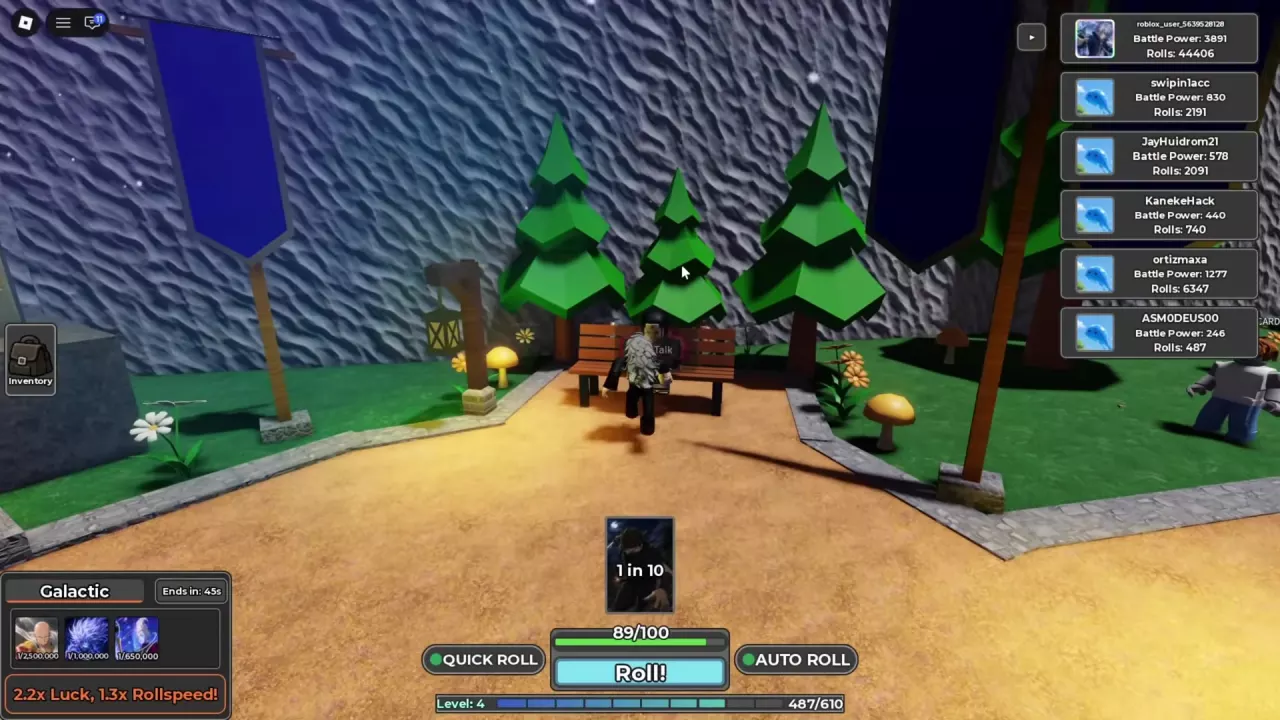
During rolling, Pity +1 marks added pity progress, while Rare in and Mythic in are remaining-roll counters that decrease as you draw. These rolling indicators are separate from Roller's Path quest unlocks.
Keep Goofy or Doodle for a high-luck rolling window. Galactic is also worth considering for its target-card previews; Thunderstorm offers faster rolling than Galactic at a lower luck multiplier.
The lower-left weather panel shows the active bonuses, remaining time, and card previews. The multipliers apply while that weather is active.
To reroll, select Weather Reroll under Items → Potions and use 1x. Each use consumes one item and can return the same weather.
| Name | Luck multiplier | Roll speed multiplier |
|---|---|---|
| Goofy | 5 x
(While active)
| 1.5 x
(While active)
|
| Doodle | 4 x
(While active)
| 1.5 x
(While active)
|
| Galactic | 2.2 x
(While active)
| 1.3 x
(While active)
|
| Thunderstorm | 1.2 x
(While active)
| 1.4 x
(While active)
|
Open Items → Potions, select a potion, and press Use with the quantity at 1x to consume one bottle. Different Luck Potion tiers can be used consecutively in the same session.
Tutorial and quest rewards provide potions. After the tutorial victory, Sensei grants two Luck Potion I bottles. The Blacksmith's crafting window also has a Potions tab.

A first clear of a new boss/difficulty combination awards +0.25 Flat Luck. Repeating that same combination does not award another first-clear bonus. After a Normal victory, Cart Titan, Red Dog, and Curse Tyrant have an approximately five-minute recovery timer.
Watch for abilities that change your opening or target order:
Teleport has a separate Raids tab. Defeat Raid Bosses to earn their corresponding currency, then spend it on cards or relics.
Talk to the entrance NPC and choose Enter to begin. Floors advance continuously during a run, and tower rewards provide a crafting-material channel. The Infinite Tower guide covers runs and reward collection.
Talk to its entrance NPC, choose Enter, then select Battle!. Climbing builds stockpiled luck for Prestige.
The menu separates Floor for current progress, Checkpoint for checkpoint progress, and Best for your highest floor. Stockpiled luck is the luck available for a Prestige, while Prestige Luck is the permanent multiplier already earned. Use the Prestige Tower guide to read progress and previews.
When Pause or End says After this floor, the action waits for the current floor to finish. Hiding the battle interface does not stop the climb.
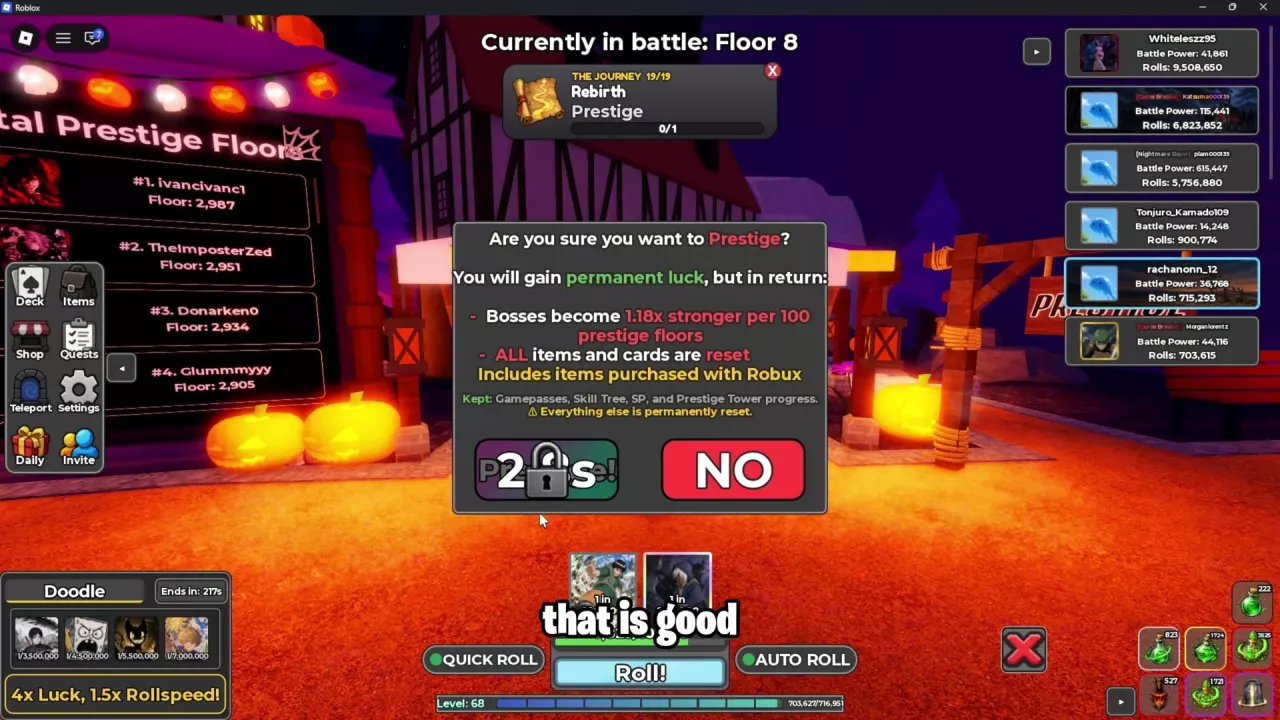
Prestige exchanges your collection for permanent luck based on your Prestige Tower climb.
Before selecting Prestige!, compare the menu's proposed Luck and Bosses changes and decide whether you are ready to rebuild your collection. Prestige! opens a reset confirmation with a button countdown. Gojo's suggestion to Prestige every 100 floors is a suggested cadence, not a minimum requirement or a guaranteed best reset point.
Find your current task by name:
These are claimable luck-feature unlocks.
Stage 5 requires one Hard victory against Curse Tyrant. Claiming it awards 8 Shrine Fragments and 5 golden ringed crystals. A Normal victory for The Final Arena does not satisfy this Hard objective.
Claim completed objectives to receive their rewards and advance the relevant quest line.
Ninja Kunai, Pro Hunter License, and Eternal Gate of Truth can each be crafted only once.
Read each requirement as owned / required. Any unmet ingredient prevents crafting. Materials can come from crafting, bosses, Infinite Tower rewards, and quests; use the material reference to match ingredients to their recipe uses.


Open the blue portal icon → Areas, then use an available destination's Teleport button.
Use NPC locations for landmark and interaction details.
These paid gamepass effects apply only during Halloween 2026:
Choose collection convenience or increased candy quantity; candy pass prices and conditions explain the purchases.
Halloween Skin Packs can award card skins, banners, color themes, and name styles. If you own a pack, open Items → Misc → Halloween Skin Pack → Open, then follow Tap to Open.
Results mark new unlocks NEW and repeat rewards DUPLICATE. Open Profile to find Customize and Titles.


These four passes are off sale:
Open SHOP → Server Boost. Each boost adds 0.1× server luck, up to a 2× cap, and refreshes the fountain duration.
The boards near the fountain separate three kinds of results:
Highest Floor Climbed is beside the tower entrance and has TIER 1–4 tabs for tower-floor scores. Pull rarity and tower performance measure different things; a rare pull alone does not establish a card's battle strength.
The active battle can continue after you close its display. If you receive “Cannot battle, you are already in one!”, finish or end that battle before retrying. A BATTLES interface can also list a tower and boss encounter simultaneously, so use the battle state shown in your interface. See combat mechanics.
Rarity alone is not enough to choose a team. Compare the version, stats, ability triggers, and drawbacks of the cards you own against the encounter. Queue damage, survival effects, and Boss-specific restrictions can change which card helps most. Use the tower ability rankings for multi-card tower fights.
Receiving the quest does not automatically unlock its destination. Use Teleport → Areas and enter when the destination has a Teleport button. The opponent's displayed BP is not a stated area unlock requirement. See areas and teleporting.
Crafting puts the charm in your inventory. To activate its bonuses, select it under Items → Charms and press Equip. To replace an equipped charm, unequip the old one and equip the new one. See charm crafting and equipment.
| Code | Reward & details | Status | Copy |
|---|---|---|---|
UPDATE2 |
At least 100,000 rolls. |
Reported active | |
UPDATE1.5 |
Rewards Requires 50,000 rolls. |
Reported active | |
UPDATE1 |
10 Luck, Speed, and Battle Potions |
Reported active | |
500PLAYERS |
Rewards Requires 50,000 rolls. |
Reported active |
Update 2.5 introduces new weather, a card pack, and a ranked system, alongside quality-of-life improvements and balance changes.
Halloween event with a new story world, a limited secret boss, and quality-of-life improvements.
Update 1.5 adds player battles, secret bosses, new weather, friend luck and a tutorial, with an Admin Abuse event after the update.