
Open a Halloween Skin Pack
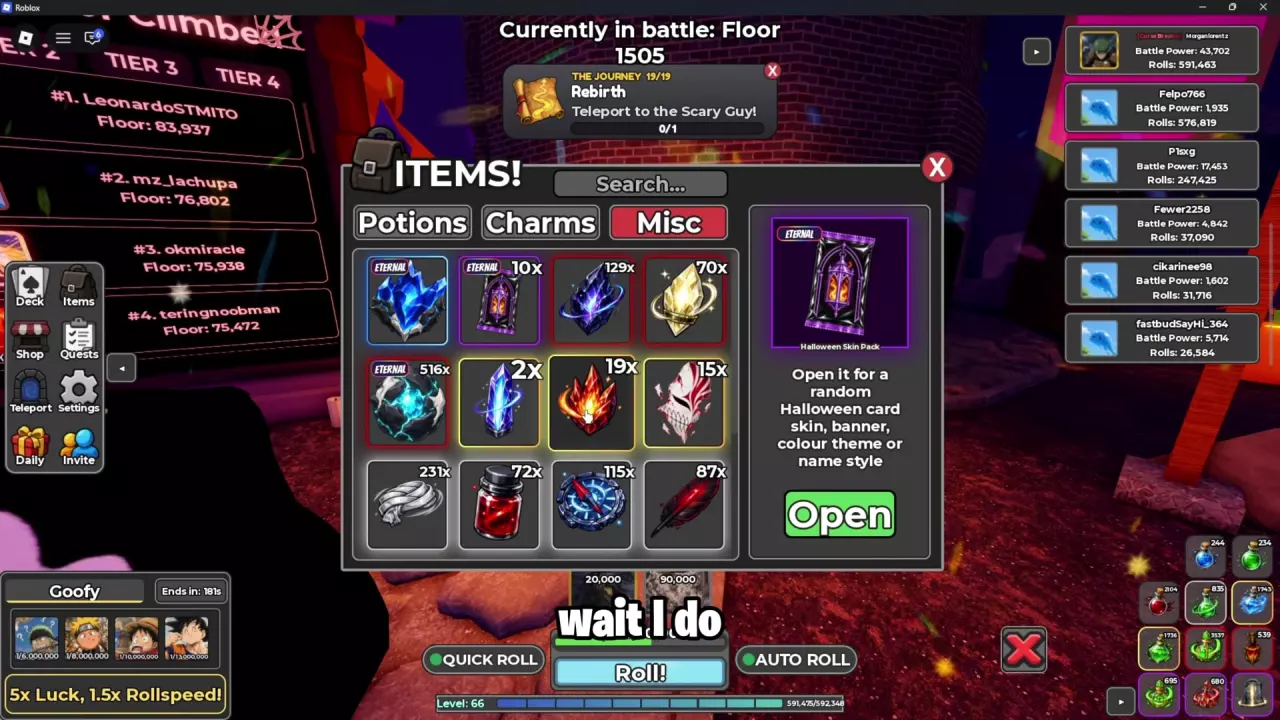
You need a Halloween Skin Pack in your inventory before you can open it.
- Open Items and switch to Misc.
- Select Halloween Skin Pack, the purple-and-black lantern pack with an ETERNAL tag.
- Choose Open.
- Follow Tap to Open, then view your cosmetic rewards.
To select a battle card pack such as Cursed Pack or Otherworld Pack, use the separate card pack unlock and selection guide.
Skins, Banners, Colour Themes and Name Styles
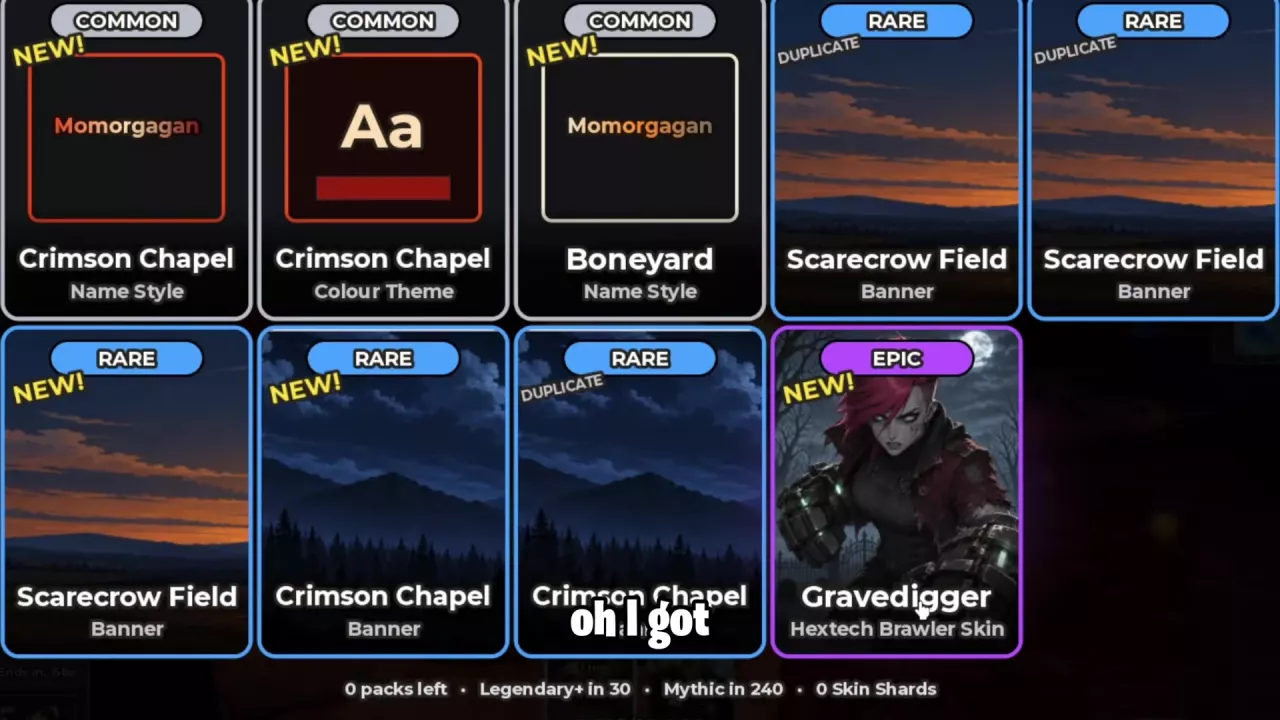
Check the reward's category alongside its name. Crimson Chapel has three separate cosmetics: a Name Style, a Colour Theme, and a Banner. Unlocking one identifies that specific cosmetic, rather than all three.
Gravedigger is a skin for Hextech Brawler. For the card's combat ability and attributes, see the card directory.
-
Crimson Chapel — Name Style
- Rarity
- Common
- Appearance
- Red-orange name lettering
-
Boneyard — Name Style
- Rarity
- Common
- Appearance
- Pale bone-colored name lettering
-
Crimson Chapel — Colour Theme
- Rarity
- Common
- Preview palette
- Pale gold lettering and a dark red swatch
-
Scarecrow Field — Banner
- Rarity
- Rare
- Appearance
- Orange twilight and distant hills
-
Crimson Chapel — Banner
- Rarity
- Rare
- Appearance
- Blue night sky, mountain silhouettes, and pine forest
-
Gravedigger
- Rarity
- Epic
- Card
- Hextech Brawler
- Appearance
- A pale red-haired fighter in dark armor in a moonlit graveyard
Read NEW, DUPLICATE and Reward Counters
- NEW marks a newly unlocked cosmetic.
- DUPLICATE marks a repeat cosmetic reward.
These labels describe ownership separately from rarity: a Rare reward can be either NEW or DUPLICATE.
The bottom row of the results screen shows your remaining packs, counters labeled Legendary+ in … and Mythic in …, and your Skin Shards total.
Find Profile Customization
Open Profile to find the Customize and Titles entries. Use these as the starting points for profile appearance options and titles.